Notifications and alerts
The kit provides in-app notifications for users and mail or Slack delivery for operators.
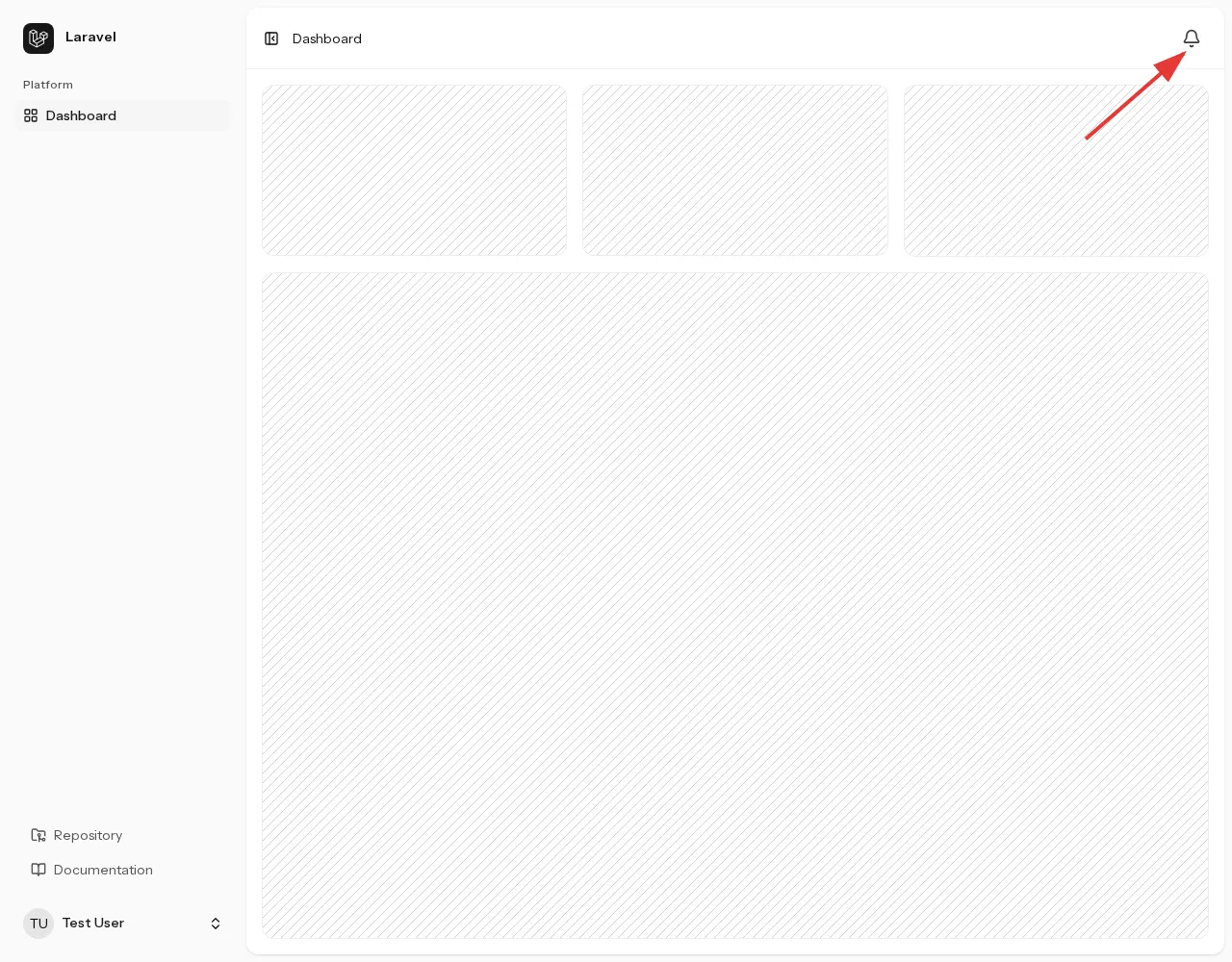
The shared GeneralNotification accepts a title, body, and optional action URL.
Account change notifications use the same class, but are addressed to the affected user rather than the shared operator recipients.
In-app, mail, and Slack delivery
Section titled “In-app, mail, and Slack delivery”| Channel | Purpose |
|---|---|
database |
Stores a user’s notification for the bell menu. Default for user notifications. |
mail |
Sends to a user’s email or the shared operator address. |
slack |
Sends to the operator webhook URL. Must be explicitly requested. |
In-app notifications
Section titled “In-app notifications”The menu shows the latest 10 notifications and polls every 15 seconds. The badge counts all stored unread notifications and displays “99+” for 100 or more.
Selecting a notification marks it as read and follows its action URL if present. The × button deletes it. Users can mark as read or delete only their own notifications.
Configuring mail and Slack
Section titled “Configuring mail and Slack”Set operator recipients in .env.
ALERT_MAIL_TO=ops@example.comALERT_SLACK_WEBHOOK_URL=https://hooks.slack.com/services/your/webhook/urlWhen ALERT_SLACK_WEBHOOK_URL is undefined, the configuration falls back to LOG_SLACK_WEBHOOK_URL. Because .env.example contains an empty ALERT_SLACK_WEBHOOK_URL, remove that line if you intend to use the fallback.
Mail also requires transport settings such as MAIL_MAILER and MAIL_HOST. The initial MAIL_MAILER=log configuration writes messages to the log instead of delivering them to a mailbox.
Rebuild cached configuration after changes.
php artisan config:cacheSending and extending notifications
Section titled “Sending and extending notifications”Sending to a user from the CLI
Section titled “Sending to a user from the CLI”Specify a user ID or a registered email address. This example saves an in-app notification for test@example.com.
php artisan notifications:send test@example.com \ --title="Maintenance notice" \ --body="Scheduled maintenance starts at 23:00 today." \ --url=/dashboard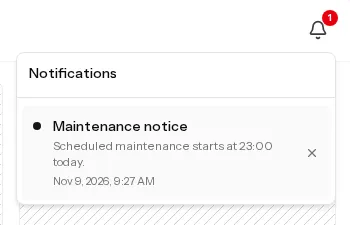
Omitting the title or body prompts for it interactively. The action URL is optional. For unattended use, pass --no-interaction and the required options.
User delivery from this CLI uses database only. --channel applies to --alert, not to sending email to a user.
Sending to operators from the CLI
Section titled “Sending to operators from the CLI”To send mail only:
php artisan notifications:send --alert \ --title="Operations notice" \ --body="Processing has completed." \ --no-interaction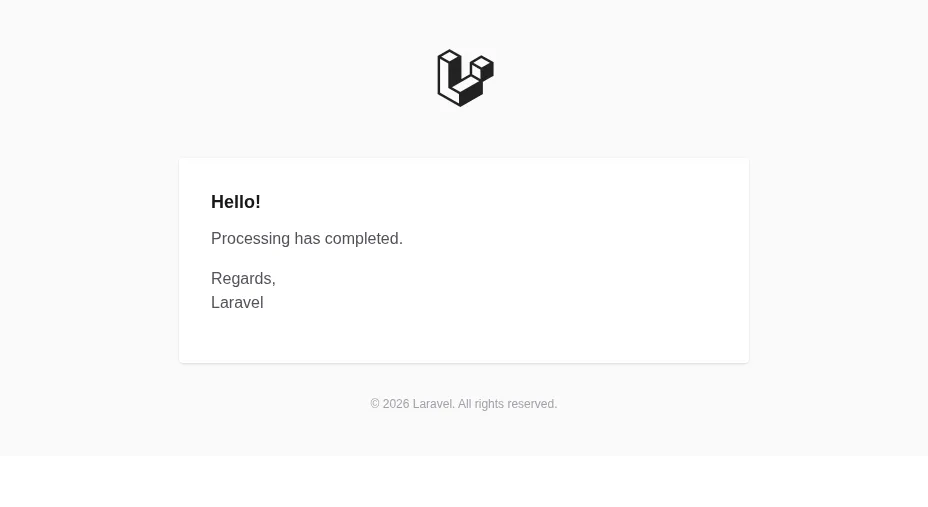
Request both channels explicitly to send mail and Slack. Use only --channel=slack for Slack alone.
php artisan notifications:send --alert \ --channel=mail --channel=slack \ --title="Operations notice" \ --body="Processing has completed." \ --no-interactionOnly requested channels with configured recipients are used. The command fails if none are available or if a channel other than mail or slack is requested. Success output lists the channels used.
Sending from application code
Section titled “Sending from application code”Pass the user and channels to SendGeneralNotification. The default channel is database.
use App\Actions\Notifications\SendGeneralNotification;
app(SendGeneralNotification::class)->handle(    user: $user,    title: 'Maintenance notice',    body: 'Scheduled maintenance starts at 23:00 today.',    actionUrl: '/dashboard',    channels: ['database', 'mail'],);
Action URLs may be application-relative paths such as /dashboard or valid https:// URLs. http:// and protocol-relative URLs such as //example.com are rejected. Mail shows the action as a button; Slack shows the title and body.
Delivery is synchronous by default. Set deferred: true to deliver after the response and report delivery failures without rethrowing them to the caller. Use toEmailAddress() for an address without an associated user account, or toAlertRecipients() for shared operator recipients.
GeneralNotification does not implement ShouldQueue, so this notification itself does not require a queue worker. After-response delivery also provides no queue-based retry or delivery guarantee. Extend the notification class or delivery process for custom formats or retries.
Exception and failed-job alerts
Section titled “Exception and failed-job alerts”Laravel’s exception reporting and the queue’s JobFailed event call SendThrowableAlert. Reportable exceptions and exceptions from jobs whose failure has been finalized are eligible for email alerts. Exceptions Laravel does not report, such as ordinary validation errors, are not all turned into alerts.
| Item | Behavior |
|---|---|
| Recipient | ALERT_MAIL_TO |
| Subject | [Application name] ExceptionClassName |
| Body | Exception message limited to 500 characters, with an omission suffix when truncated |
| Duplicate suppression | Same exception class, file, and line suppressed for five minutes |
Different messages share a suppression slot if their class, file, and line match. The default cache store holds these slots. Use a shared cache for suppression across multiple application instances. If the cache is unavailable, delivery is attempted without suppression.
Delivery failures produce the warning Failed to send alert notification. in the log. There is no automatic retry. The suppression slot is claimed before delivery, so a failed delivery can also suppress subsequent alerts for five minutes.
Testing exception alerts
Section titled “Testing exception alerts”This command exercises the same delivery and duplicate suppression used by automatic alerts.
php artisan notifications:send --exception --body="Operations alert delivery check"Repeating it within five minutes is suppressed as a duplicate. Use --no-throttle to bypass suppression for testing.
php artisan notifications:send --exception --no-throttle \ --body="Operations alert delivery check"--exception directly calls SendThrowableAlert; it does not fail a real HTTP request or queued job. The command fails if no alert is sent because of missing recipients, suppression, or delivery failure. Even with --channel=slack, this mode uses mail only.
The exception message becomes the alert body. Ensure application exceptions contain only information appropriate for those recipients.